My Aadhaar: Download e-Aadhaar, Update Address, Lock Biometrics
🔍 What is myAadhaar?
myAadhaar is the official online portal by UIDAI (Unique Identification Authority of India) that allows Aadhaar holders to access and manage their Aadhaar services online. You can download e-Aadhaar, update your details, lock biometrics, generate Virtual ID, and more — all from the comfort of your home.
✅ Why use myAadhaar portal?
- Download Aadhaar anytime, anywhere
- Update address without visiting enrolment center
- Protect your biometrics by locking/unlocking
- Generate Virtual ID (VID) for safer authentication
- Verify your Aadhaar or registered mobile/email
- Free, secure, and available 24×7
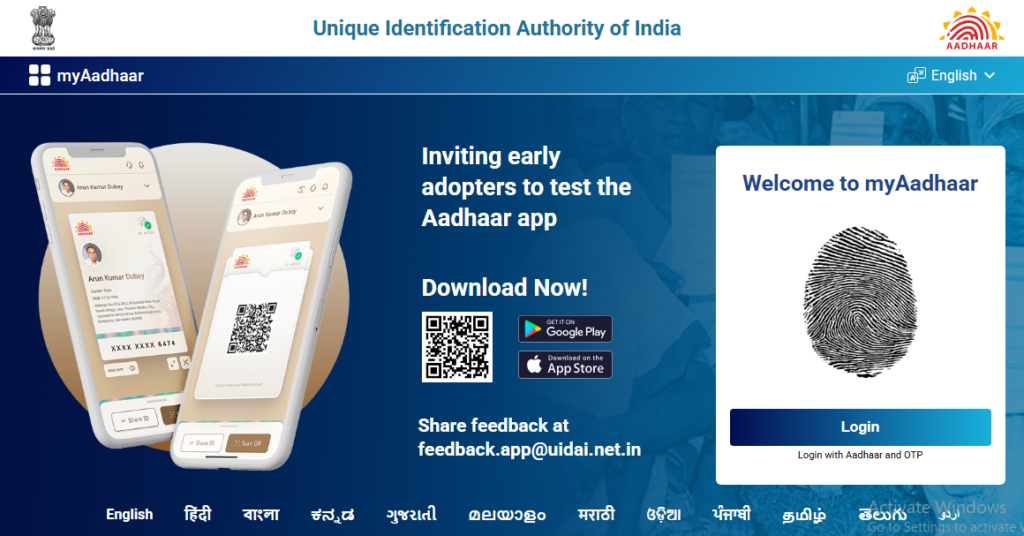
🔗 Official Services on myAadhaar
- 📄 Download e-Aadhaar
Get your masked or regular Aadhaar PDF instantly using Aadhaar number or VID.
→ Go to official portal → - ✏️ Update Aadhaar Details
Update address, name, date of birth, gender, mobile number, or email online.
→ Go to official portal → - 🔐 Lock/Unlock Biometrics
Temporarily lock your fingerprint and iris data to prevent unauthorized authentication.
→ Go to official portal → - ✅ Verify Aadhaar Number
Check if an Aadhaar number is valid or verify your registered email/mobile.
→ Go to official portal → - 🆔 Generate Virtual ID (VID)
Create a temporary 16-digit VID to share instead of your Aadhaar number.
→ Go to official portal → - 📱 mAadhaar Mobile App
Official app for profile management, QR code scanner, and offline eKYC.
→ Learn more →
📌 How to use myAadhaar portal
- Click on any service link above — you’ll be taken to the official myAadhaar portal
- Enter your 12-digit Aadhaar number or 16-digit Virtual ID (VID)
- Enter the captcha code and request OTP
- Enter OTP received on your registered mobile number
- Access your Aadhaar service (download, update, lock, etc.)
🛡️ Safety Tips
- Always verify the URL is https://myaadhaar.uidai.gov.in (look for the lock icon)
- Never share your OTP, Aadhaar password, or biometrics with anyone
- Use Masked Aadhaar (shows only last 4 digits) for general sharing
- Change your Aadhaar password regularly if you download e-Aadhaar
- UIDAI toll-free helpline: 1947 (24×7)
❓ Frequently Asked Questions
Q: Is myAadhaar portal free to use?
A: Yes, all services on myAadhaar portal are completely free of charge.
Q: Do I need to register separately for myAadhaar?
A: No, if you have an Aadhaar number, you can directly use the portal. Your mobile number must be registered with Aadhaar to receive OTP.
Q: What if my mobile number is not registered with Aadhaar?
A: You will need to visit a permanent Aadhaar enrolment center to update your mobile number.
Q: Is e-Aadhaar valid as a proof of identity?
A: Yes, e-Aadhaar downloaded from the official portal is equally valid as the physical Aadhaar letter.
Q: Can I update my address online without documents?
A: Yes, you can update address online by uploading valid address proof documents.